Downloaders
Download YouTube Channel Banners at Full 2560×1440 — Free & Instant
Paste any channel link or @handle and grab the official channel banner (channel art) at up to 2560×1440 — free, no signup, no watermark, no limits.
YouTube Channel Banner Downloader
Download any channel's official banner (channel art) at full resolution — free, no watermark.
Introduction
A YouTube channel banner is the wide image that crowns a channel page — the first thing a visitor sees before they scroll, and one of the few places a creator can control their brand at a glance. It is also one of the hardest assets to save. Banners sit in the page as background images with no download button, right-clicking usually does nothing useful, and a screenshot captures whatever size the browser happened to render — rarely the full 2560×1440 original. The Thumbix YouTube Channel Banner Downloader fixes that. Paste any @handle, channel ID, or channel link, and in a second you get the official, original banner at up to 2560×1440, ready to download or copy. No signup. No watermark. No limits. Just the real file from YouTube's servers.
How to use YouTube Channel Banner Downloader
Open the tool
Head to thumbix.site and open YouTube Channel Banner Downloader.
Copy a channel link or handle
Go to any channel and copy the URL, or copy its @handle.
Paste the identifier
Paste it into the input box. Handles, channel IDs, and channel links all work.
Click Get Banner
The tool resolves the channel and loads the full-resolution preview.
Download the banner
Click Download to save the image, or copy the direct image link.
Repeat for more channels
There are no limits — keep grabbing banners as you work through your list.
What Is This Tool?
A YouTube Channel Banner Downloader is a free web tool that pulls the official channel art of any public YouTube channel. You give it a channel link or @handle, and it returns the original banner file at the full canvas YouTube stores — up to 2560×1440 pixels.
The key detail: the tool does not screenshot the channel page. It reads the channel identifier from your input, resolves it to the channel's permanent ID, then reads the banner source URLs from the channel's own page metadata and hands you the highest-resolution file available. The download is the real, original artwork — not a scaled-down background image your browser cached.
Why Use This Tool?
- Full resolution, not a crop. You get the actual 2560×1440 canvas YouTube keeps, not the version scaled to fit your screen.
- No account, no app. It works in any browser, on any device, with zero setup and no login.
- No watermark. The file is exactly what YouTube stores — nothing is stamped or added on top.
- Instant results. The banner is fetched directly from YouTube's image CDN, so it loads in about a second.
- Total privacy. Your input is processed without being stored on a server.
- Unlimited and free. Download a hundred channel banners today and a thousand tomorrow. There is no paywall.
Who Should Use This Tool?
- Designers who study competitor branding and need the full banner art of other channels as reference.
- Creators who want their own banner file for rebrand planning, design audits, or to re-upload after a change.
- Marketers and agencies who audit competitor channels and collect their visual identity into a swipe file.
- Anyone who has ever wanted a channel's artwork and did not want to dig through page source.
How Does It Work?
The tool follows a simple, transparent path. When you paste a link and press Get Banner, it does four things:
- It detects the input. The tool reads what you pasted — an @handle, a channel ID, a /channel/ link, a /c/ or /user/ URL, or a full channel page link — and identifies the channel identifier in it.
- It resolves the channel. Using YouTube's public page data, it turns the identifier into the channel's permanent record and locates the banner image sources in the channel's metadata.
- It loads the original. The highest-resolution banner available is fetched from YouTube's image server and shown to you in a preview frame.
- It hands you the file. You get a Download button (saves the image to your device) and a Copy Link button (copies the direct image URL to your clipboard).
Everything runs fast and stays private. The tool never stores your links, never asks for permission, and never touches your YouTube account.
Real-World Use Cases
- A rebrand. A creator who changed their channel art pulls the old banner for a before/after comparison or to reuse the layout as a template.
- Competitor research. A designer downloads the banners of the top channels in their niche and studies how the best brands handle the safe zone, mobile crop, and desktop composition.
- Recovering lost files. A creator who lost their original banner artwork downloads the full-resolution version straight from their own channel page.
- Design references. An illustrator uses a well-designed banner as a composition reference for a client's channel art.
Best Practices
- Paste the full channel link or @handle for the cleanest resolution. A channel ID works just as well.
- Use the largest source when the file will be seen at any real size — the 2560×1440 canvas is the master file YouTube serves.
- Use Copy Link for quick references. If you are collecting banners into a brand board, copy the direct URL instead of downloading dozens of files.
- Check the channel is public. Private or terminated channels cannot be downloaded this way.
- Respect the owner's rights. Channel art is the creator's design. Downloading it for reference, research, and fair use is standard practice — do not reuse it as your own channel art.
The channel banner is a 2560×1440 billboard for a creator's brand. Saving the original file lets you study exactly how they built it.
Anatomy of a Channel Banner
The 2560×1440 master canvas
YouTube's recommended channel art size is 2560×1440 pixels. The tool returns the highest source it finds, which for most modern channels is this full canvas — the master file before YouTube applies its various crops.
Safe zone and crops
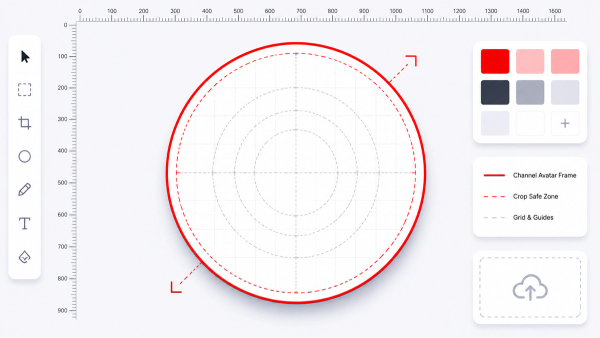
YouTube crops the banner differently across devices. The safe zone (the area that always shows) is the center 1235×338 on desktop, and the mobile crop is the center 1546×423. When you download the full 2560×1440 file, you finally see the whole design — including the edges that get cut on different screens.
Troubleshooting: Common Download Problems, Solved
- Nothing loads after pasting — check that the link is a channel page or @handle, not a single video or playlist URL.
- The image looks small — make sure you use the Download button rather than the on-page preview; the preview is scaled for display, the download is the original source file.
- The channel has no banner — newer or default channels sometimes run without custom channel art, and the tool will tell you when no banner source exists.
- The download name looks odd — files are named thumbix-<channelid>-banner.jpg. Rename them to something descriptive as you save.
Privacy, Security, and Fair Use
A responsible downloader processes your input without an account and keeps no history. Your paste is never stored on a server, and the only remote request is to YouTube's own public data and image servers.
Fair use matters here too. Channel art is the creator's design. Downloading it for personal reference, research, education, commentary, or parody is widely considered acceptable. Reusing another channel's banner as your own channel art is not — it can trigger impersonation reports and damage your own branding. When you need banner artwork for your own channel, design your own and prep it at 2560×1440 with the Thumbnail Resizer.
Frequently Paired Thumbix Workflows
The Banner Downloader fits naturally into a broader creator toolkit.
- Banner Downloader → Channel ID & Handle Finder. Resolve the channel's permanent ID while you grab its artwork.
- Banner Downloader → Channel Logo Downloader. Collect the complete brand identity — banner and logo — of any channel in one sitting.
- Banner Downloader → Thumbnail Resizer. Reformat a downloaded banner to the exact 2560×1440 canvas for a redesign, or prep your own artwork for upload.
Conclusion
You do not need to open developer tools, screenshot at whatever size your browser renders, or sign up for a watermarked downloader site to get a clean YouTube channel banner. With the Thumbix YouTube Channel Banner Downloader, one paste gives you the official artwork at up to 2560×1440 — free, watermark-free, and private. Whether you are studying competitors, recovering your own files, or rebuilding your brand, the tool takes about five seconds.
Next steps: pair it with the Channel Logo Downloader to capture the full identity, or use the Thumbnail Resizer to prep your own banner for upload.
Common Mistakes to Avoid
- Using a video or playlist link — this tool needs a channel identifier, not a video URL.
- Relying on the on-page preview — the preview is scaled for display; always use Download for the original source file.
- Saving a screenshot of the channel page — screenshots capture whatever size your browser rendered, far below the 2560×1440 original.
- Reusing another channel's artwork as your own channel art — that is their design and can trigger impersonation reports.
- Ignoring the safe zone — important content near the edges of the 2560×1440 file is cut off on desktop and mobile displays.
Frequently Asked Questions
Yes. 100% free, with no hidden limits, no trial, and no premium tier. Download as many channel banners as you need.
No. There is no sign-up, no login, and no email required. Open the tool and paste a channel link.
No. The tool downloads the original channel art from YouTube's own image server. Nothing is added to it.
The highest source YouTube serves for that channel, up to the full 2560×1440 master canvas for most channels.
Yes. Paste any @handle and the tool resolves it to the channel and its banner.
Yes. Any public channel with a resolvable identifier and custom channel art.
Yes — and it is a great way to recover your original file if you lost it during a redesign.
Downloading for personal reference, research, and fair use is standard practice. Do not reuse another channel's artwork as your own channel art.
JPG. That is the format YouTube serves channel banners in.
Yes. The tool is fully responsive and works in any mobile browser.
No. You can download unlimited channel banners, as many times as you like.
No. Your input is never stored on a server, and nothing is kept.
Some channels run without custom channel art. The tool will tell you when no banner source exists.
Grab your first channel banner in seconds
Paste any channel link or @handle and download the official banner at up to 2560×1440 — free, no watermark, no signup.
Try the Channel Banner Downloader