Table of Contents
- Introduction
- Why This Topic Matters
- Quick Answer
- Who This Guide Is For
- Step-by-Step Instructions
- Beginner Guide
- Advanced Tips
- Desktop Instructions
- Mobile Instructions
- Android Guide
- iPhone Guide
- Examples
- Common Mistakes
- Best Practices
- Pro Tips
- Creator Tips
- SEO Tips
- Marketing Tips
- Frequently Overlooked Facts
- Myths vs Facts
- Troubleshooting
- Summary
- Final Thoughts
- Call to Action
- FAQs
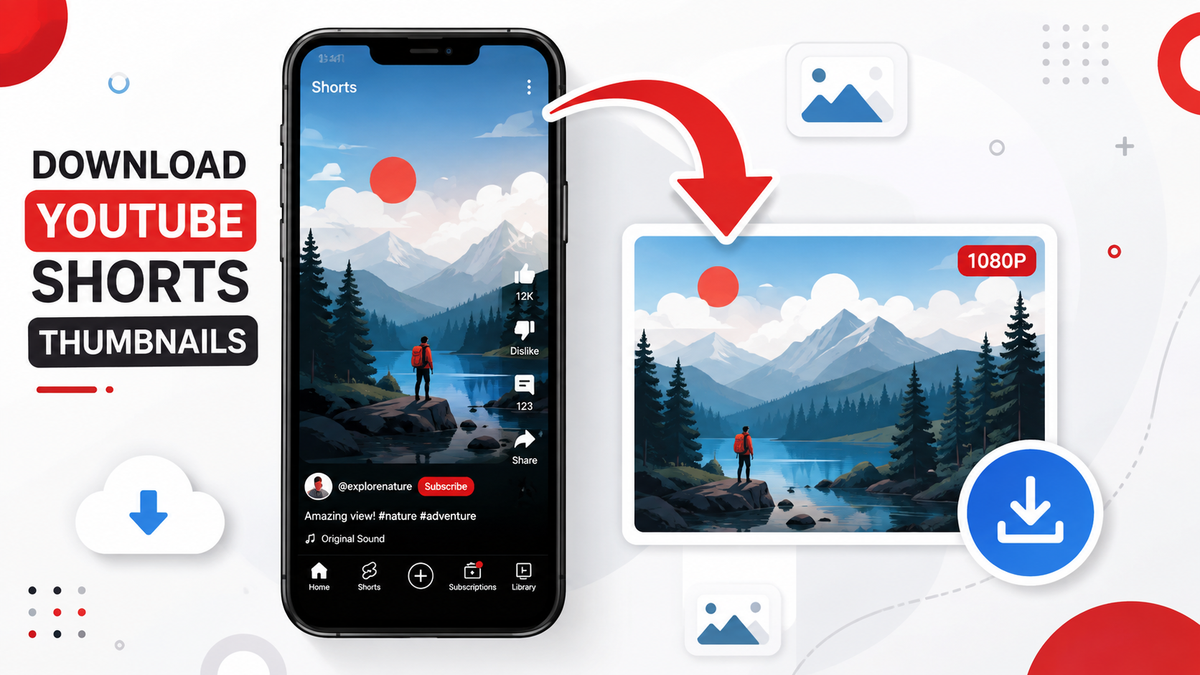
YouTube Shorts thumbnails behave differently from regular video thumbnails — they're often auto-generated and vertical. Here's exactly how to download any Shorts thumbnail in full resolution, on desktop or mobile.
Introduction
YouTube Shorts thumbnails work a little differently from regular video thumbnails, and that trips a lot of people up. Instead of a custom 16:9 image, Shorts often use an auto-generated vertical frame pulled straight from the video — and YouTube doesn't offer a download button for it anywhere in the app. If you've tried the usual tricks and come up empty, this guide covers exactly how to download a YouTube Shorts thumbnail in full quality.
Why This Topic Matters
Shorts now make up a huge share of watch time on the platform, and the cover frame plays the same role a thumbnail does for long-form video — it's the first thing a viewer sees in the feed. Creators studying what covers perform well, or archiving their own content library, need a reliable way to save these images.
Quick Answer
Paste the Shorts URL into the Thumbix Thumbnail Downloader and it will automatically detect that it's a Shorts link, pull the cover frame, and give you a download or copy option in the highest resolution available — usually within a second or two.
Who This Guide Is For
- Short-form creators building a content archive
- Editors repurposing Shorts covers for other platforms
- Marketers tracking competitor Shorts performance
- Anyone who just wants to save a specific Shorts cover image
Step-by-Step Instructions
- Open the Short in the YouTube app or on youtube.com and copy its link (it will look like
youtube.com/shorts/VIDEO_ID). - Go to the Thumbix Thumbnail Downloader.
- Paste the link into the input box and submit.
- Thumbix detects the Shorts format automatically and displays the available thumbnail sizes.
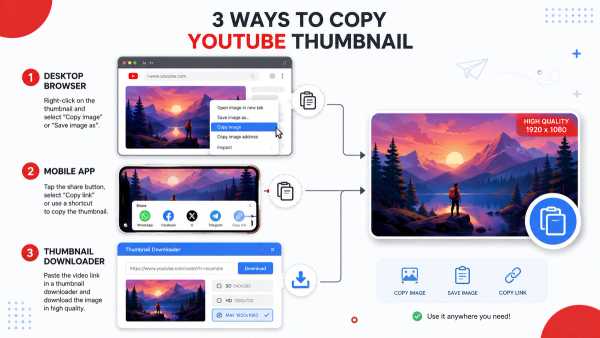
- Right-click (desktop) or press-and-hold (mobile) the image to copy it, or use the Download button.
Beginner Guide
If you've never done this before: copy the Shorts link exactly as YouTube gives it to you, paste it into Thumbix, and use whichever image size looks sharpest. You don't need to know anything about video IDs or file formats — the tool handles that part.
Advanced Tips
- Shorts thumbnails are sometimes tied to a specific timestamp in the video rather than a custom upload, so the image you get reflects whatever frame YouTube selected or the creator manually chose in Shorts editing.
- If a creator has set a custom cover in the Shorts creation flow, that custom image is what gets served — not a random frame.
- Save Shorts covers at their native vertical resolution rather than cropping a horizontal thumbnail to fit, to avoid distortion in your reference library.
Desktop Instructions
On desktop, open the Short on youtube.com, copy the URL from the address bar, and follow the same steps as above. Desktop browsers support right-click copy and save without any extra steps.
Mobile Instructions
On mobile, the process is identical but uses touch gestures instead of right-click — tap Share inside the Shorts player to copy the link, then press and hold the resulting thumbnail image in your browser to save or copy it.
Android Guide
- Open the Short, tap Share, then Copy Link.
- Open the Thumbix Thumbnail Downloader in Chrome or your default browser.
- Paste the link and tap search.
- Press and hold the thumbnail and choose Download Image.
iPhone Guide
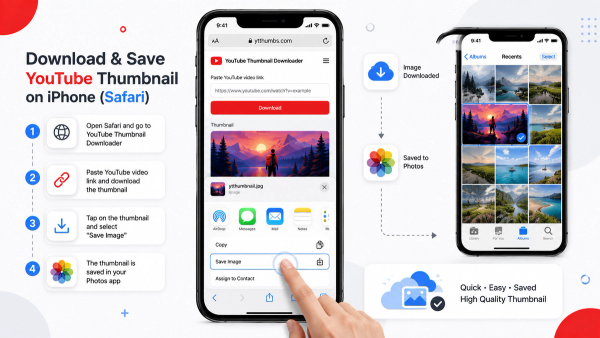
- Open the Short, tap Share, then Copy Link.
- Open Safari and go to the Thumbix Thumbnail Downloader.
- Paste the link and tap Go.
- Touch and hold the image, then tap Save to Photos.
Examples
- A creator downloads their top 20 Shorts covers to compare which visual styles correlate with higher completion rates.
- An agency saves a competitor's recent Shorts covers weekly to track their content cadence and visual branding.
- A video editor grabs a Short's cover image to use as a reference frame when cutting a longer version of the same content.
Common Mistakes
- Assuming Shorts thumbnails work exactly like regular video thumbnails — the URL structure and resolution options can differ.
- Taking a screenshot of the vertical player instead of pulling the actual image file, which introduces UI elements and lower quality.
- Ignoring aspect ratio when reusing a Shorts cover elsewhere — stretching a 9:16 image to 16:9 will distort it.
Best Practices
- Always confirm you're pulling the actual cover image, not a random paused frame from playback.
- Keep Shorts covers organized separately from regular thumbnails since the two formats aren't interchangeable.
- Check resolution before using an image for anything beyond quick reference.
Pro Tips
- Compare Shorts covers against the regular thumbnails from the same channel to see how creators adapt their visual style for the vertical format.
- Use a shared folder structure (channel / format / date) so Shorts and long-form research don't get mixed together.
Creator Tips
Shorts covers get far less real estate on screen than a regular thumbnail, so successful ones tend to rely on bold, simple visuals rather than dense text. When you're studying saved covers for inspiration, pay attention to how much (or how little) information they try to communicate at a glance.
SEO Tips
While YouTube Shorts discovery works differently from search-driven long-form video, the cover image still affects swipe-through behavior in the Shorts feed, which in turn influences how widely a Short gets distributed. Treat cover research the same way you'd treat thumbnail research for search-optimized content.
Marketing Tips
For brands running Shorts campaigns across multiple creators, keeping a shared archive of high-performing covers — downloaded with a consistent tool like Thumbix — makes it much easier to brief designers on what's working in the format.
Frequently Overlooked Facts
- Not every Shorts thumbnail is available in the same resolutions as regular video thumbnails.
- Shorts published as reposts of existing landscape videos sometimes retain elements of the original thumbnail cropped into a vertical frame.
- YouTube can regenerate a Shorts cover automatically if no custom one is set, so the same video's cover can occasionally change over time.
Myths vs Facts
- Shorts don't have thumbnails at all: Every Short has a cover image, whether custom or auto-generated
- You can download Shorts covers the exact same way as regular thumbnails: The URL format and available resolutions can differ, so a dedicated tool handles both correctly
- Screenshotting the Shorts player is just as good as downloading the real file: Screenshots are lower quality and include unwanted UI elements
Troubleshooting
The tool doesn't recognize my Shorts link. Make sure you copied the full youtube.com/shorts/... URL, not a shortened or app-internal link. The downloaded image looks pixelated. Try a different resolution option if more than one is available — not all Shorts have a high-res cover. The image looks cropped oddly. This usually means the cover was pulled from a horizontal source video and reframed for the vertical format — this is expected behavior on YouTube's end, not a tool error.
Extended Walkthrough: Building a Shorts Research Habit
Downloading a single Shorts thumbnail is easy once you know the steps, but the real value comes from turning it into a repeatable habit. Many creators who study Shorts covers seriously set aside a short, recurring block of time each week — often just ten or fifteen minutes — to pull covers from the top-performing Shorts in their niche and drop them into a shared folder or moodboard tool. Over a few months, this small habit builds a genuinely useful visual archive that shows how cover styles shift with trends, seasons, and platform changes, something that's almost impossible to notice by scrolling casually. It also helps to pair the cover image with a couple of quick data points when you save it — view count, publish date, and roughly how the channel's audience size compares to your own. A cover style that works brilliantly for a channel with ten million subscribers doesn't always translate to a smaller, newer channel, so keeping that context alongside the saved image prevents you from copying strategies that don't actually fit your situation.
Comparing Shorts Covers Across Devices
One detail worth understanding is that Shorts covers can render slightly differently depending on where they're viewed — inside the main Shorts feed, on a channel's Shorts shelf, or embedded in search results. The underlying image file is the same, but the crop and surrounding UI elements change the way it's perceived. When you download the raw cover using a tool like Thumbix, you're seeing the full, uncropped source image, which is actually more useful for design reference than any of the in-feed views, since none of those views show you the complete picture the creator originally uploaded or that YouTube generated.
Why Manual Screenshotting Falls Short
It's tempting to just screenshot a Short while it's playing, especially if you're in a hurry, but this approach has real downsides worth understanding. A screenshot captures whatever the device's screen compositor renders at that moment, including any UI overlays, video compression artifacts, and the device's own screen resolution — none of which match the original file YouTube stores. Beyond the quality loss, screenshots also make it much harder to build a consistent research library, since every screenshot ends up a different size and aspect ratio depending on the device it was taken on. Downloading the actual cover file through a dedicated tool avoids all of these inconsistencies and gives you a clean, uniformly sized image every time.
Summary
Downloading a YouTube Shorts thumbnail follows the same basic idea as downloading a regular thumbnail, but the vertical format and different URL structure mean a dedicated tool like Thumbix is the most reliable option. Paste the link, grab the image, done.
Final Thoughts
Shorts covers deserve the same attention as regular thumbnails — they're doing the exact same job, just in a smaller, faster-scrolling format. Having a quick way to save and study them is a genuinely useful habit for any short-form creator.
Call to Action
Grab any YouTube Shorts thumbnail in seconds with the free Thumbix Thumbnail Downloader — paste the link, download in HD, no watermark, no sign-up.
Frequently Asked Questions
Can I download a YouTube Shorts thumbnail for free?
Yes. Tools like Thumbix let you download any public Shorts cover image at no cost, in the highest resolution available.
Do YouTube Shorts have custom thumbnails?
Sometimes. Creators can set a custom cover during upload, but if they don't, YouTube auto-generates one from a frame in the video.
Why can't I right-click a Shorts thumbnail to save it?
The Shorts player interface doesn't expose the cover image the way a regular video page does, so right-click often fails or grabs a low-quality preview instead.
What resolution are YouTube Shorts thumbnails?
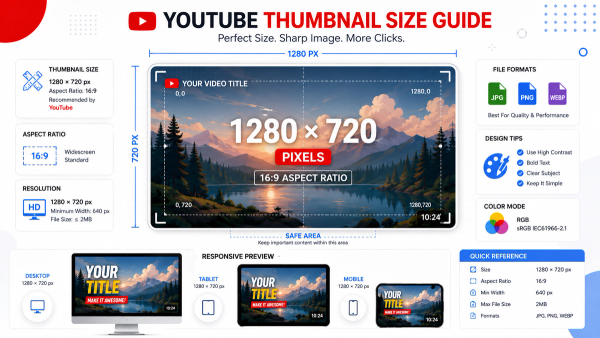
Resolution varies by video, but Shorts covers are typically vertical (9:16) and can go up to full HD depending on the source upload.
Can I download Shorts thumbnails on iPhone?
Yes — copy the Shorts link, open it in the Thumbix tool in Safari, then press and hold the image to save it to Photos.
Is downloading a Shorts thumbnail legal?
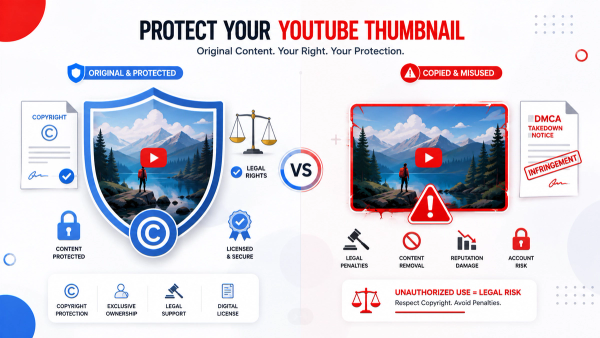
Saving a publicly available thumbnail for personal reference is generally fine; using someone else's cover commercially without permission can raise copyright concerns.
Why does a Shorts cover sometimes look cropped strangely?
This happens when the Short was created from a horizontal video and YouTube reframed a portion of it for the vertical format.
Can the same tool download both Shorts and regular video thumbnails?
Yes, Thumbix automatically detects the link type and pulls the correct thumbnail format either way.
Do Shorts thumbnails ever change after publishing?
Yes, if no custom cover was set, YouTube can update the auto-generated frame over time.
What's the fastest way to save a Shorts thumbnail on Android?
Copy the Shorts link, paste it into the Thumbix downloader, then press and hold the resulting image to save it to your gallery.