Table of Contents
- Introduction
- How Super Thanks Works
- How Super Chat and Super Stickers Work
- The 70/30 Split and the iOS Caveat
- Who Is Eligible: Full YPP and Early-Access
- What Actually Drives Tipping
- Realistic Expectations for Fan Funding
- Building a Live-Stream Cadence
- Super Thanks and Super Chat in Your Revenue Plan
- Frequently Asked Questions
- Final Takeaway
Super Thanks, Super Chat, and Super Stickers let viewers tip you directly — at a 70% keep rate, with no ad rates involved. Here is how they work, who is eligible, and what actually drives tipping.
Super Thanks and Super Chat are the most misunderstood income streams on YouTube. They are also the most direct: a viewer sees value in what you make, and instead of watching an ad, they hand you money. There is no auction, no advertiser, no revenue pool — just a viewer, a tip, and a 70% share that lands in your account. The amounts are small compared to sponsorships, and the stream depends on community warmth rather than scale. But for a channel with an engaged niche, fan funding quietly adds a dependable monthly layer. This guide covers how each feature works, what you keep, who is eligible, what actually makes viewers tip, and how to fold fan funding into a realistic revenue plan.
Introduction
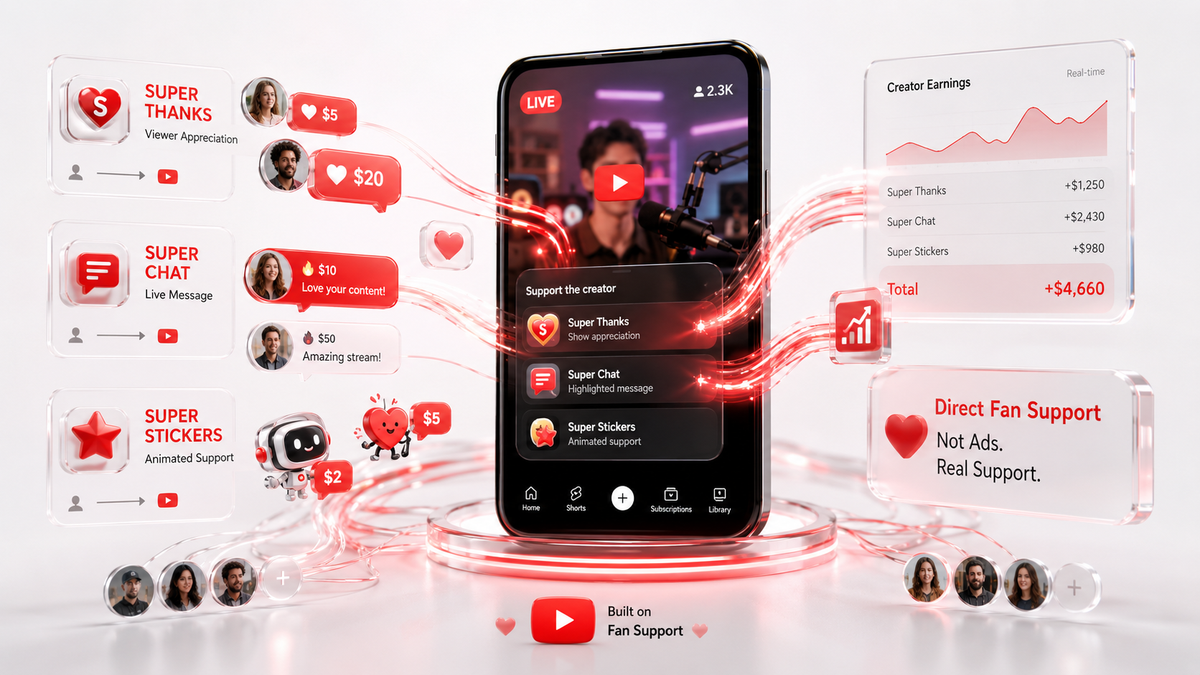
Fan funding is YouTube's built-in way for viewers to pay creators directly. It comes in three forms: Super Thanks, a one-time tip attached to any upload; Super Chat, a paid, pinned message during live streams; and Super Stickers, a cheaper animated tip also tied to live chat. All three run on the same revenue share, all three are unlocked through the YouTube Partner Program, and all three are entirely independent of ad rates. This guide walks through the mechanics, the eligibility requirements, the psychology of what makes viewers tip, realistic expectations, and the live-stream cadence that turns casual viewers into repeat tippers.
How Super Thanks Works
Super Thanks are the version of tipping that works on regular uploads. Viewers find a Super Thanks button under your video and can send between $2 and $50 as a one-time payment, with a short message if they want. A colored heart or a thank-you note appears in the comments, and the tip lands with the rest of your monetization earnings. Unlike membership fees, Super Thanks do not recur — each one is a single, self-contained gesture. Because they attach to uploads rather than live events, Super Thanks work on any channel's content. A viewer who watches a tutorial, a deep dive, or a story video can tip without sitting through a livestream. The practical pattern is simple: viewers tip when a video genuinely helps them. High-value, problem-solving content in a specific niche draws Super Thanks more than broad entertainment, and mentioning the feature briefly at the end of a helpful video — without pressure — reminds people the option exists.
How Super Chat and Super Stickers Work
Super Chat is the live-stream version of tipping, ranging from $1 to $500. When a viewer pays, their message is highlighted in color and pinned to the top of the live chat for a set amount of time — the bigger the tip, the longer and more visible the pin. It is the closest thing YouTube has to a direct, real-time transaction between creator and audience, and it is why live streams are the center of gravity for fan funding. Super Stickers are the lighter option, animated stickers viewers send during live chat at a lower price point, perfect for viewers who want to participate without spending much. The Super Chat dynamic is reciprocal in a way uploads are not: a viewer pays for attention, and the creator reads the message on air. When a creator names the tipper, thanks them personally, and answers their question, the exchange is complete and the next viewer sees exactly what a tip buys. That visibility is the engine of the whole system.
The 70/30 Split and the iOS Caveat
On every Super Thanks, Super Chat, and Super Sticker, you keep roughly 70% of the amount and YouTube keeps about 30%. A $10 Super Thanks nets around $7. A $25 Super Chat nets around $17.50. These are estimates and the exact rate is set by YouTube, but the 70/30 structure has been the consistent shape of fan funding. The caveat that surprises most creators is the Apple fee. Purchases made through the iOS YouTube app carry an additional Apple processing fee of roughly 30%, on top of YouTube's share. A $5 Super Thanks sent from an iPhone can end up netting the creator well under $3.50, while the same tip from a desktop or Android browser keeps the full 70% base. You cannot remove the fee, but you can mention once in your descriptions or live-stream chats that tipping from a computer keeps more money in the channel. The fans who care will switch devices; the ones who do not were not going to tip anyway.
Who Is Eligible: Full YPP and Early-Access
Fan funding requires YouTube Partner Program approval, and this is where the early-access tier earns its name. At 500 subscribers and 3 public uploads in the last 90 days, plus 3,000 watch hours (or 3 million Shorts views), creators qualify for early-access YPP, which unlocks Super Thanks, Super Chat, Super Stickers, and channel memberships — without unlocking ad revenue. Full monetization at 1,000 subscribers and 4,000 watch hours (or 10 million Shorts views) adds ads on top. What this means in practice is that fan funding can be a creator's first real monetization feature, available months or years before ads. For a niche channel that builds a loyal audience quickly, the early-access tier converts that loyalty into actual payments far earlier than the old 1,000-subscriber waiting game allowed. Check the current requirements in YouTube Help, since eligibility details have changed over the years and can vary by region.
What Actually Drives Tipping
Tipping is not random generosity; it follows patterns you can encourage honestly. The strongest driver is attachment — viewers tip creators they feel they know and who feel approachable. A personal video style, a consistent voice, and regular appearances in the comments build the kind of parasocial warmth that makes tipping feel like supporting a friend rather than paying for content. The second driver is visibility and reciprocity. Reading tips on air, thanking people by name, and answering their pinned questions turns a transaction into an exchange, and every on-air thank-you advertises the feature to everyone watching. The third driver is occasion. Milestones — channel anniversaries, subscriber milestones, video premieres, live Q and As — give people a reason to give. Tipping spikes around events, so create events. The honest counterweight: pressure kills tipping. A creator who spends every stream guilt-tripping the chat trains viewers to avoid the stream. The streams that generate Super Chat reliably are the ones where the chat is warm, the creator is present, and the tips are a visible celebration, not a toll. The format of your content also shapes tipping behavior. Channels that feel intimate — direct address, personal storytelling, a consistent on-camera presence — consistently outperform faceless or highly produced channels at fan funding, because viewers tip people they feel they know. A viewer who has watched you for two years is far more likely to send a Super Thanks on a video that helped them than a viewer meeting your channel for the first time. That is why fan funding rewards patience: it is a loyalty dividend that only pays once the relationship has had time to compound.
Realistic Expectations for Fan Funding
Let us be direct about the numbers. For most channels, fan funding is a small stream — dozens to low hundreds of dollars a month, not thousands. A channel with a warm, engaged niche can see Super Chat totals of $100 to $300 per live stream during a good event, but the typical stream is quieter, and upload-based Super Thanks come in drips. The channels where fan funding is genuinely large either have enormous live audiences, superfans in a high-value niche, or a culture of gifting built over years. That does not make the stream unimportant. Fan funding is the most reliable predictor of audience quality you have, it costs nothing to maintain, and it compounds with every other stream — a viewer who tips is a viewer who will join your membership, click your affiliate link, and pre-order your course. Treat fan funding as a health signal and a base layer, not a headline.
Building a Live-Stream Cadence
If you want Super Chat to be more than an occasional surprise, you need a rhythm. A weekly live stream on a fixed day and time trains your audience to show up, and a consistent event gives the chat a reason to gather. The most effective live formats for fan funding combine a clear purpose — a Q and A, a tutorial, a premiere watch-along — with a creator who reads chat and names tippers as they arrive. Two hours of a warm, engaged stream with a handful of $5 to $25 Super Chats is a normal, repeatable outcome. The cadence matters more than the production value. A modest weekly stream you actually run beats an elaborate monthly stream you keep postponing. Announce the schedule, remind viewers in uploads, and treat the stream as a regular appointment. Over three to six months, the habit compounds into a predictable monthly number.
Super Thanks and Super Chat in Your Revenue Plan
Fan funding is easy to plan for because it is the most granular stream you have. Start by tracking what it actually produces for three months, then set a modest monthly target — say, $150 — and treat it as the base layer under your sponsorships and products. The Thumbix YouTube Money Calculator can fold fan funding into a total estimate alongside ad revenue and other streams, so you can see the mix in one place instead of guessing. The Revenue Goal Calculator then works backward: if your average stream generates $75 in Super Chat, four streams a month plus $60 in Super Thanks covers a $360 monthly fan-funding goal. The figures are estimates and every stream varies, but the planning structure is real. Set the goal, build the cadence, read the names, and let the community fund the base.
What is the difference between Super Thanks and Super Chat?
Super Thanks are $2 to $50 one-time tips attached to regular uploads. Super Chat is a $1 to $500 tip on live streams that pins the message in colored text; Super Stickers are cheaper animated tips in live chat.
How much do creators earn from Super Thanks and Super Chat?
You keep roughly 70% of every tip. A $10 Super Thanks nets about $7, and a $25 Super Chat nets about $17.50, before the additional Apple fee on iOS purchases.
Who is eligible for Super Thanks and Super Chat?
Any YouTube Partner Program member. The early-access tier at 500 subscribers and 3 uploads in 90 days unlocks fan funding without unlocking ads; full monetization adds ad revenue.
How much can viewers tip?
Super Thanks run $2 to $50. Super Chat runs $1 to $500, with larger tips pinned longer. Super Stickers are a lower-priced option for live chat.
Do Super Chat tips work on uploads?
No. Super Chat and Super Stickers are live-stream features only. For regular uploads, the equivalent is Super Thanks.
How do I encourage more tips without being pushy?
Read tips on air, thank people by name, answer pinned questions, and create milestone occasions. Warmth and visibility earn more than guilt and pressure, which drive viewers away.
Is there an Apple fee on Super Thanks?
Yes. Purchases through the iOS app carry an additional Apple processing fee of roughly 30% on top of YouTube's share. Tipping from the web keeps more of the tip with the creator.
Are Super Thanks refundable?
Super Thanks are non-refundable by design, which is part of why they are treated as support rather than a purchase. Always deliver on the value your channel promises to protect that goodwill.
Final Takeaway
Super Thanks and Super Chat are the purest form of creator income on YouTube: a viewer decides your work is worth real money and hands it to you directly. They are unlocked early through the early-access YPP tier, they run on a predictable 70/30 split, and they respond to warmth, visibility, and occasion rather than scale. Expect them to be a base layer, not a headline — then build the weekly stream, read the names, and let a modest monthly goal turn a small stream into a reliable one. Fan funding is how an audience tells you what they actually think of your work, and that signal is worth at least as much as the money.
Frequently Asked Questions
What is the difference between Super Thanks and Super Chat?
Super Thanks are $2 to $50 one-time tips attached to regular uploads. Super Chat is a $1 to $500 tip on live streams that pins the message in colored text; Super Stickers are cheaper animated tips in live chat.
How much do creators earn from Super Thanks and Super Chat?
You keep roughly 70% of every tip. A $10 Super Thanks nets about $7, and a $25 Super Chat nets about $17.50, before the additional Apple fee on iOS purchases.
Who is eligible for Super Thanks and Super Chat?
Any YouTube Partner Program member. The early-access tier at 500 subscribers and 3 uploads in 90 days unlocks fan funding without unlocking ads; full monetization adds ad revenue.
How much can viewers tip?
Super Thanks run $2 to $50. Super Chat runs $1 to $500, with larger tips pinned longer. Super Stickers are a lower-priced option for live chat.
Do Super Chat tips work on uploads?
No. Super Chat and Super Stickers are live-stream features only. For regular uploads, the equivalent is Super Thanks.
How do I encourage more tips without being pushy?
Read tips on air, thank people by name, answer pinned questions, and create milestone occasions. Warmth and visibility earn more than guilt and pressure, which drive viewers away.
Is there an Apple fee on Super Thanks?
Yes. Purchases through the iOS app carry an additional Apple processing fee of roughly 30% on top of YouTube's share. Tipping from the web keeps more of the tip with the creator.
Are Super Thanks refundable?
Super Thanks are non-refundable by design, which is part of why they are treated as support rather than a purchase. Always deliver on the value your channel promises to protect that goodwill.